Cut pausesStudy a creatorWith my brandingMix parts of videos
YouClaudeCodex
Your assistant
How it works
Two parts. One loop.
1
Record. Simple as it gets.
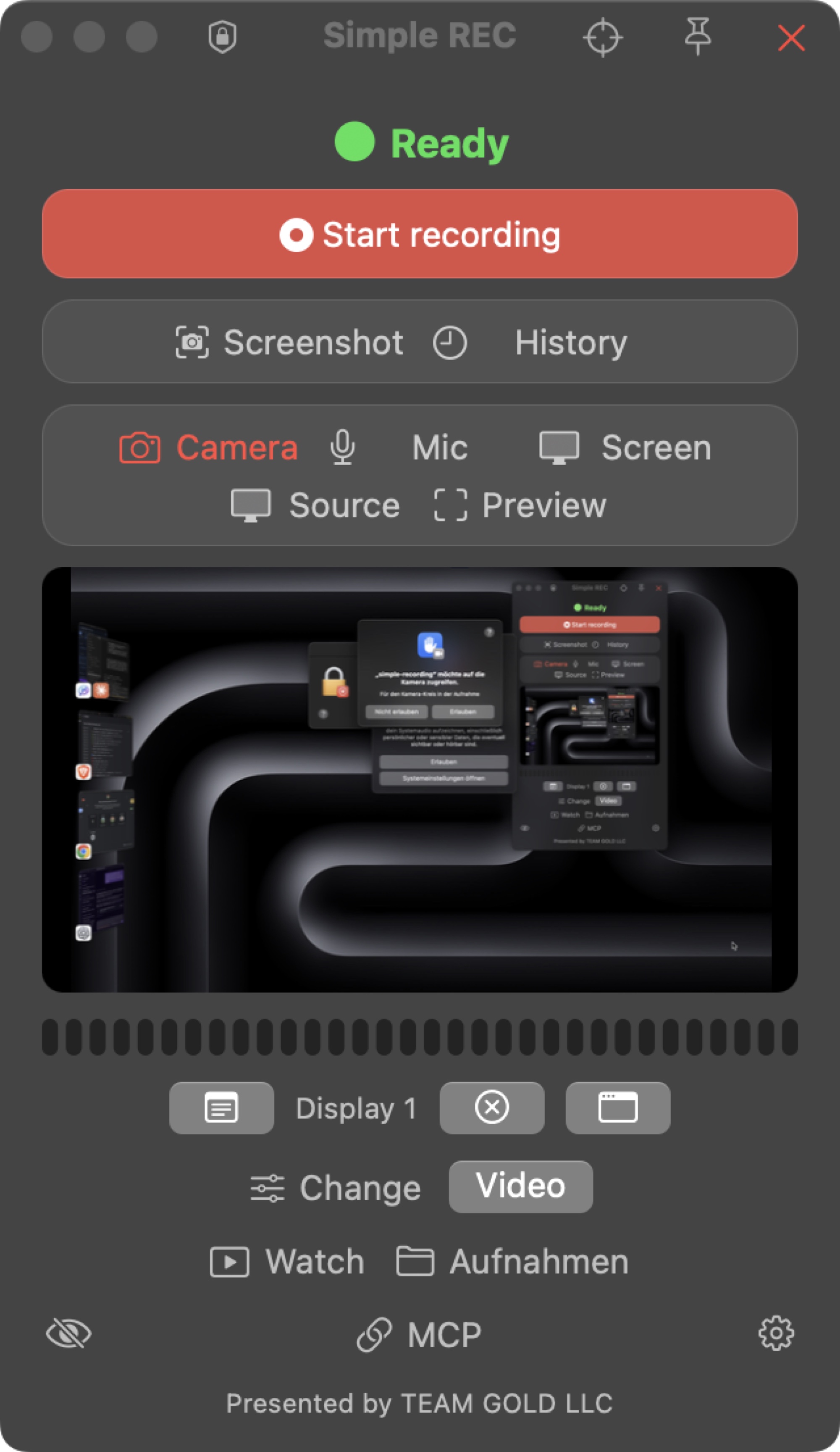
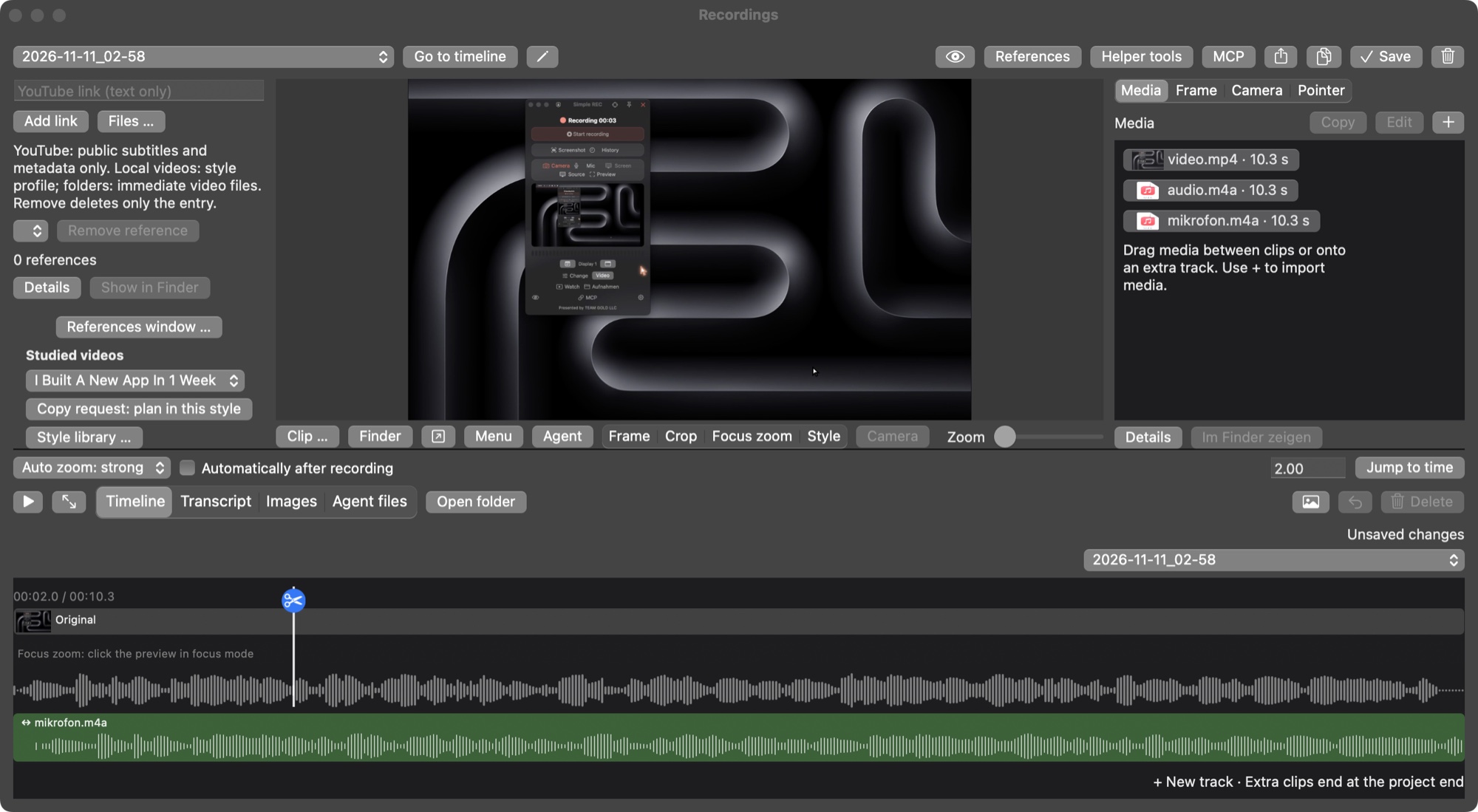
One click to start, one to stop. No settings maze. Screen, camera and voice, with no AI needed. If you want, your AI then understands it all: transcript, pictures, pauses and sound.
Recording and transcript stay on your Mac
The AI really sees and hears your video
+
2
Learn from other videos.
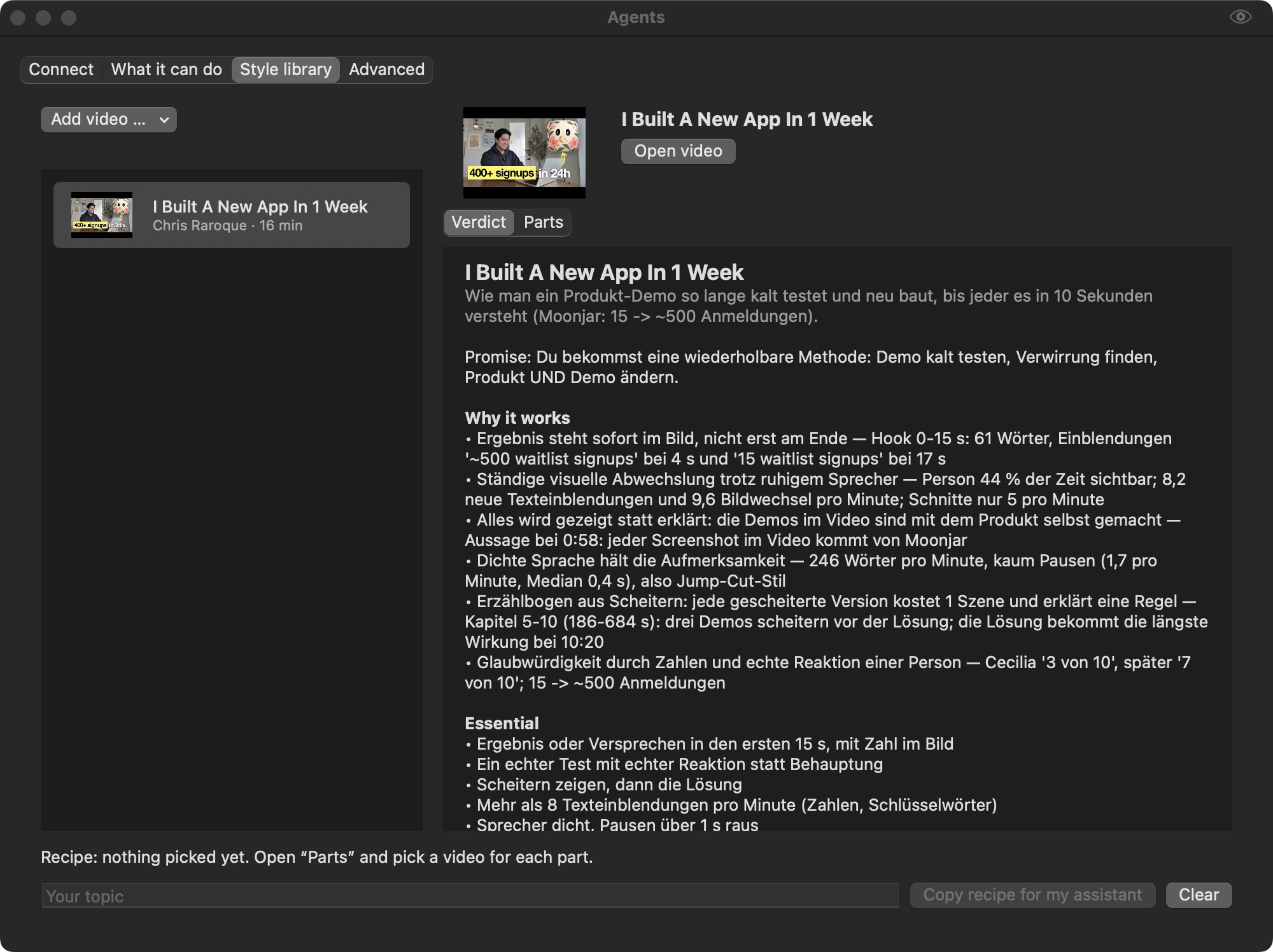
Show your AI a YouTube video. It studies structure, hook, pace and voice, then edits your video in that style, with your topic and your branding.
Take only the style, only the topic or the whole structure
Mix parts from several creators
youtube.com/watch?v=a1B2c3D4e5F
I Built A New App In 1 Week
Simple REC
YouTube link
Add link
I Built A New App In 1 WeekHook ✓Pace ✓Voice ✓Structure ✓
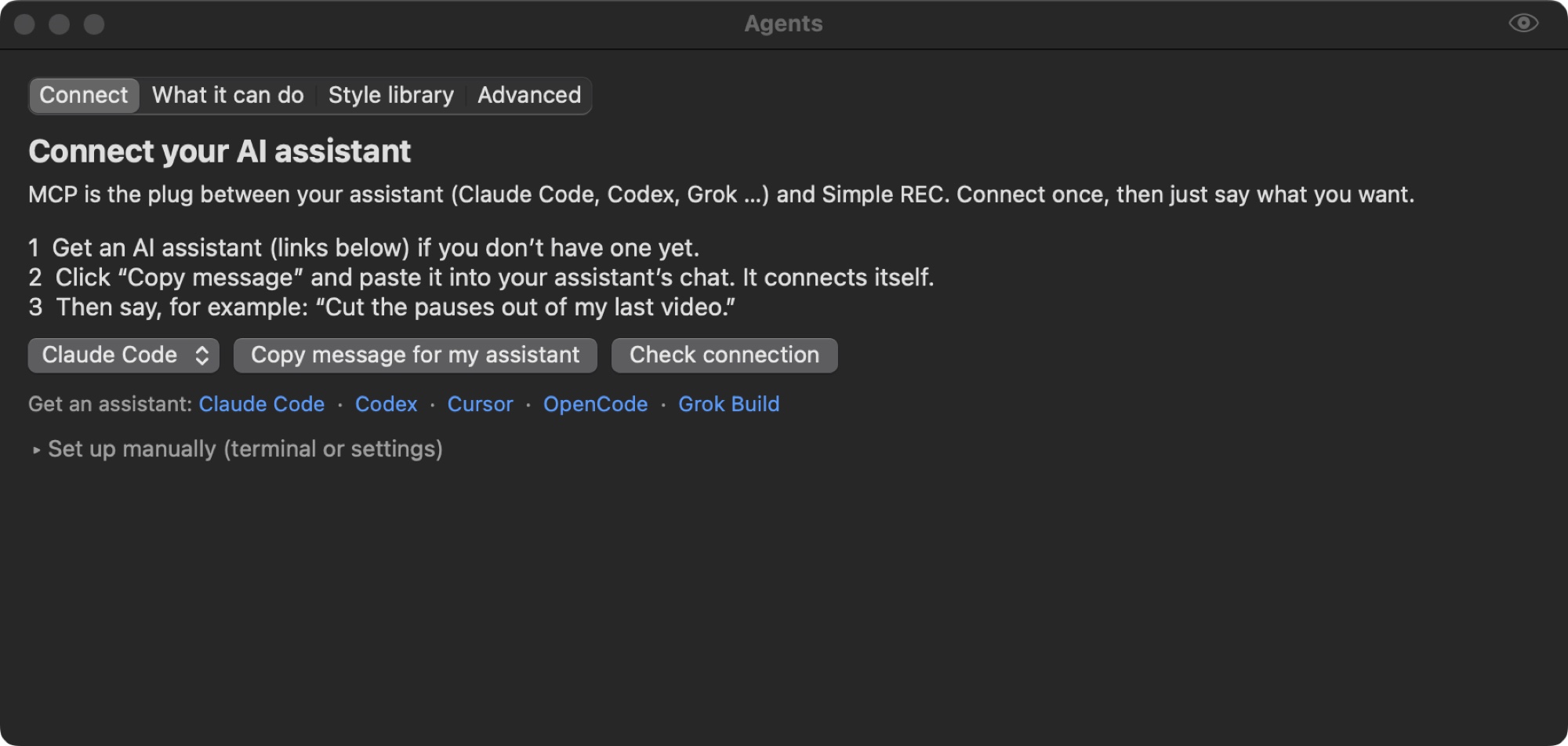
Connected through MCP: the plug that lets your AI (Claude Code, Codex …) press the buttons in Simple REC. You copy one message into its chat, the rest it does itself.
Claude CodeCodexGrok BuildCursorOpenCodeAny MCP clientClaude CodeCodexGrok BuildCursorOpenCodeAny MCP client
Just say it
You say it. It happens.
Your assistant runs Simple REC for you. You see every change in the editor and undo what you don’t like.
Ready● Start recording
“Record my screen.”
Start, stop, done. Recording and transcript stay on your Mac. Below: all recordings, playback and the link to your AI.
Claude CodeCodex
Same style as his video, my topic and my logo
Studied his pace and hook. Applying it to your video.
project_edit ✓
“Edit it like him.”
You type in the chat of Claude Code or Codex. It runs on your own plan and weekly limit. No API key, no extra cost for the assistant.
“Connect to me.”
Copy one message, paste it into your assistant’s chat. It connects itself.
What it can do
More than cutting pauses.
●
Record
Your AI starts and stops the recording itself: screen, camera and voice.
✂
Cut
Pauses, filler words and cuts exactly as you want them.
Aa
Captions
Captions and zooms, also in 9:16 vertical.
◎
Learn from creators
Take structure, hook, pace and voice from a video.
⇄
Mix parts
Structure from one, voice from another, your topic.
✓
Watch and review
It watches your video, listens to the sound and tells you what to improve.
Study creatorsYour assistant watches a video like a person: structure, hook, pace, voice, pictures.
2
Mix the partsStructure from one, hook from another, voice from a third. Your topic on top.
3
Check your editSimple REC measures your edit against the recipe and tells you what is missing.
Try a style
Launch story: a clear promise first, then proof, then one call to action.
Video AFast hook
Video BCalm voice
Video CClear steps
HookStructureVoiceLook
Your recipe
Hook · pick a part
Structure · pick a part
Voice · pick a part
What the style library looks like in the app.
Download
Simple REC for Mac.
Simple REC Beta
Try the beta free for 30 days. After that, you can choose a monthly subscription. Runs locally on your Mac. For Apple silicon Macs (M1 or newer) with macOS 15 or newer.
Open Simple-REC.dmg and drag Simple REC into Applications.
First launch: System Settings → Privacy & Security → “Open Anyway”. The beta is not notarized by Apple yet.
Allow screen recording and microphone when your Mac asks.
The first time it transcribes, the app downloads a speech model once (about 464 MB). It needs internet for that. After that, transcribing runs locally.
To study YouTube videos, install the yt-dlp tool (for example with Homebrew: brew install yt-dlp).
Troubleshooting
Symptom
Cause
Fix
Start blocked
Beta is not notarized
Choose Open Anyway under Privacy & Security.
Missing screen or microphone
Permission is missing
Allow Screen Recording and Microphone in System Settings.
Installation changed
Signature damaged
Copy the app from the DMG again.
First transcript waits
Model download
Connect to the internet for the first model download.
Video study does not start
yt-dlp is missing
Install yt-dlp for video studies.
Address bar in video
Accessibility permission missing
Allow Accessibility for Simple REC under Privacy & Security.
Give your agent this link and ask it to set up Simple REC. Open MCP in the app, copy the connection command into your AI client and check the connection.
Get started
Three steps.
Install
Open Simple-REC.dmg and drag the app to Applications. For the beta: System Settings → Privacy & Security → “Open Anyway”.
Connect
Open MCP in the app, pick your assistant and copy the command.
claude mcp add simple-recording …
Say it
“Cut the pauses out of my last video.” Done.
Your assistant cannot recordSimple REC records, cuts and checks. Your assistant only says what it wants.
Everything stays on your MacRecording, transcript and edit run locally.
More than a skill fileA skill is instructions. Simple REC is the tools behind it and an editor where you see everything.
Beta
Get the beta.
Download the app and try it. Questions or ideas? You can also book a short call with me.
Free beta30-day trialMonthly subscription for up to two Macs
 Simple REC